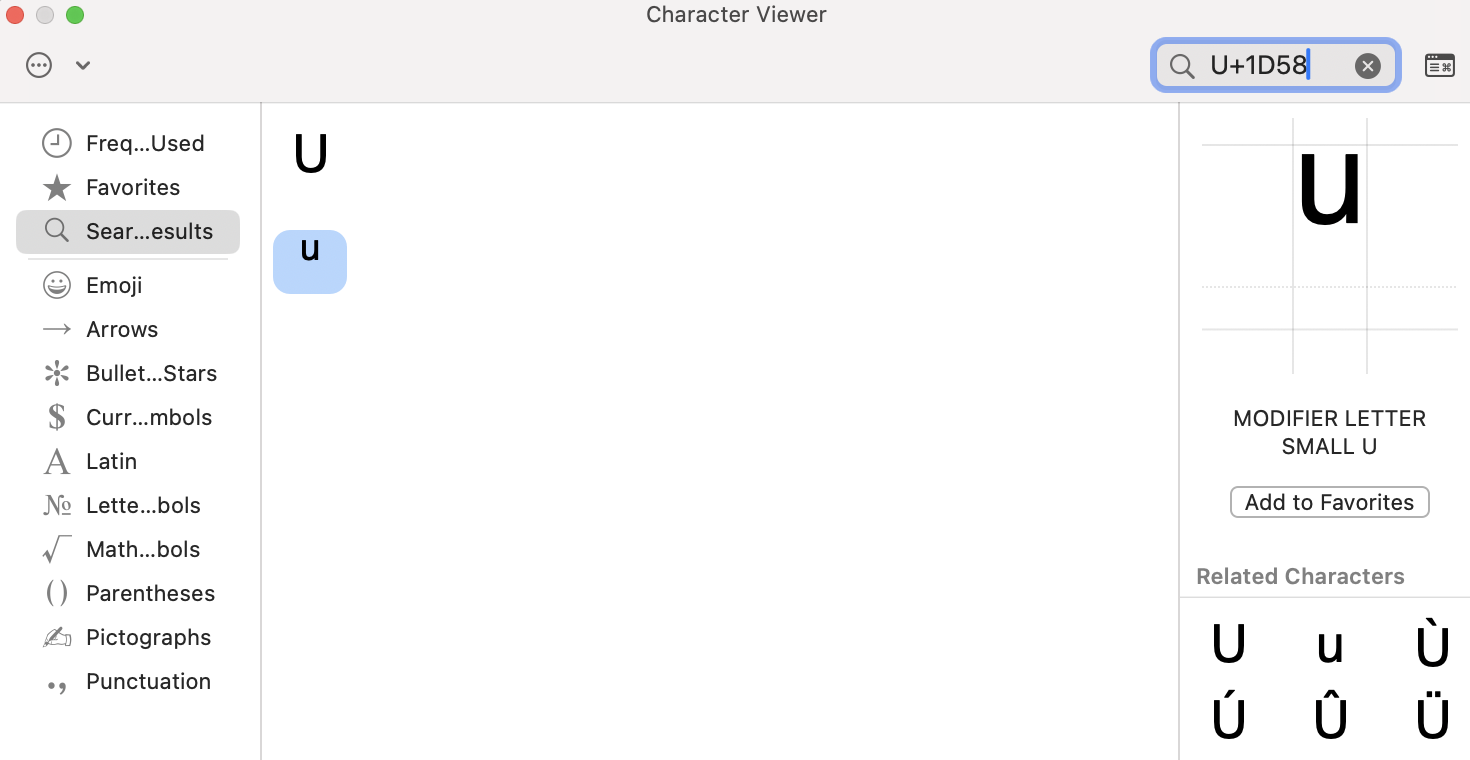
Typing a raised ᵘ using Emojis & Symbols
Typing the raised ᵘ character using Emojis & Symbols is a less convenient solution for typing the unicode raised ᵘ compared to our keyboard, as “Favorites” has to be open and the raised ᵘ has to be clicked every time you want to type it. However, the favouriting process is quick and simple and allows you to avoid installing any keyboards or other software.
Follow these steps to find and save the Unicode raised ᵘ in Emojis & Symbols on a Mac so it can be pasted into any document.
- Open the Character Viewer by pressing Control + Command + Space.
- Search for U+1D58.
- Select the raised ᵘ (“Modifier letter small u”) and click Add to Favorites.
- Double-click the character to insert it in a document.